Glitch Text Generator
Type your text and get creepy, corrupted glitch text you can copy and paste into Discord, TikTok, Instagram, games and anywhere else that takes Unicode.
All text generators
-
Zalgo Text Generator
Stack marks above, through and below every letter, with full control.
-
Cursed Text Generator
Swap letters for strange look-alikes and add as much chaos as you like.
-
Fancy Text Generator
Bold, script, gothic, bubble and more Unicode font styles.
-
Strikethrough Text Generator
Strike out, slash, underline or overline text for any app.
-
Upside Down Text Generator
Flip text upside down, or mirror it back to front.
-
Vaporwave Text Generator
Wide aesthetic text with optional spacing and decorations.
-
Invisible Character
Copy blank characters for empty names, messages and spacing.
-
Zalgo Text Remover
Clean glitch marks and fancy fonts back to plain text.
-
CSS Glitch Text Effect
Design an animated glitch heading and copy the HTML and CSS.
How to use the glitch text generator
- Type or paste your text into the box. The glitch text updates as you type.
- Drag the Glitch intensity slider. Low settings add a light flicker; high settings bury the letters in marks.
- Choose where the marks go: above the letters, through them, below them, or any mix.
- Press Copy, then paste the text wherever you want it. Press Glitch it again for a new random version.
Below the main result you will find ready-made styles, from a light glitch to corrupted blocks and “signal lost” lines. Each one has its own copy button.
What is glitch text?
Glitch text is ordinary text with extra Unicode characters added to make it look broken, haunted or corrupted. It is not an image and not a font. It is plain text, so it keeps its look when you paste it into a chat, a bio, a username or a document.
Most glitch text is built from combining characters. These are marks such as accents, tildes and lines that attach to the letter in front of them. Normal text uses one at a time: the accent in “é” is one. Glitch text stacks dozens on each letter, so they pile up above and below the line and spill into the text around them. This style is often called Zalgo text, after the internet meme that made it famous.
Want to know more? Read what Zalgo text is and how it works, or the deeper guide to Unicode combining characters.
Where you can use glitch text
- Discord: messages, server names, channel topics and display names. See how to use glitch text on Discord and social media.
- Social media: TikTok, Instagram and X bios, captions and comments.
- Games: many games accept Unicode in names and chat, though some filter it.
- Design: posters, thumbnails, horror and cyberpunk artwork, and Halloween invitations.
Some apps limit or strip combining characters, and every mark counts toward character limits. If your text gets cut off or cleaned up, lower the intensity and try again.
Tips for good glitch text
- Less is often more. A light glitch on one word stands out more than a whole paragraph of heavy Zalgo, and people can still read it.
- Marks spill over. Heavy marks can cover the lines above and below. Leave a blank line around glitch text in posts.
- Keep the real text somewhere. Screen readers and search engines can struggle with glitch text. Read is glitch text accessible? before you use it for anything important.
- Need to undo it? The Zalgo text remover strips the marks and gives you the plain text back.
Frequently asked questions
Is glitch text safe to copy and paste?
Yes. It is ordinary Unicode text with no code or links in it. The worst it can do is look messy in apps that do not handle stacked marks well.
Why does my glitch text look different in another app?
Each app and device draws combining marks with its own fonts. The characters are the same, but how high they stack and how much they overlap can change.
Is the text I type saved anywhere?
No. The generator runs entirely in your browser. Nothing you type is sent to our server.
Can I make the glitch effect move?
Copied text cannot animate, but a web page heading can. Use the CSS glitch text effect tool to build an animated glitch heading for your own site.
Latest guides
All guides-
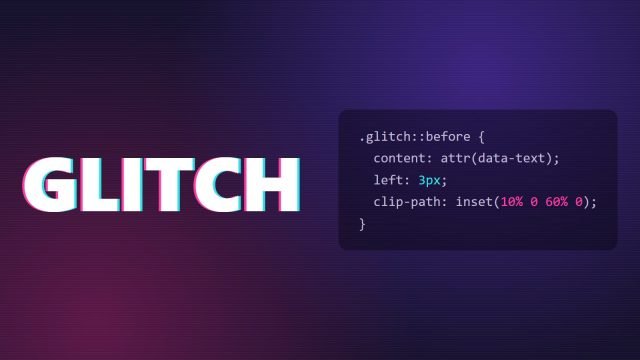
How to Create a Glitch Text Effect With CSS
Build an animated glitch heading with pure CSS: pseudo-elements, clip-path slices, keyframes, and the accessibility details most tutorials miss.
-
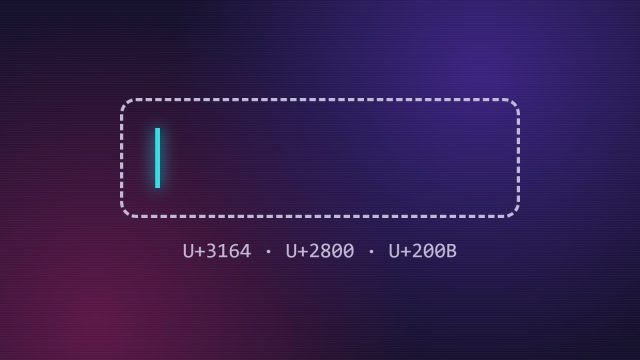
How to Make an Invisible Name or Blank Message
Which blank characters work for invisible names and empty messages, how to paste them, and why some apps and games reject them.
-
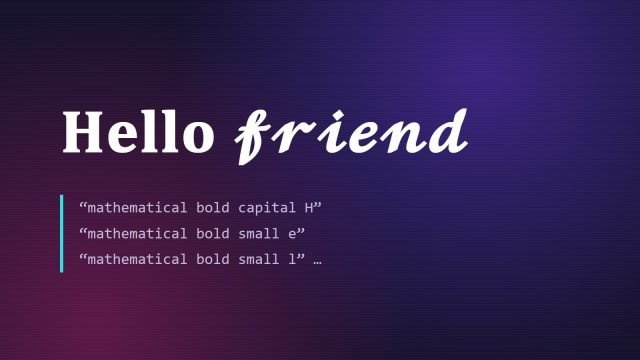
Is Glitch Text Accessible? Screen Readers and Fancy Fonts
How screen readers, search and translation tools handle glitch text and fancy fonts, and how to use them without shutting people out.